Stake on an operator, step by step
You are backing an operator you trust with ZAI. Their listings are paid in USDC every time an agent buys from them, and a share of every settlement goes to the stake behind the node, so backing one earns you USDC for as long as your ZAI stays there. The same stake makes their answers worth trusting: if a dispute finds they cheated, part of it is slashed, your part with it. Two wallet confirmations to stake, one for each later action.
What you need
- A wallet extension in your browser.
- ZAI in that wallet. It stays yours the whole time: staked ZAI is locked, not spent.
- On the local development network, add the chain to the wallet with chain id
31337and RPChttp://127.0.0.1:8545, then import account 1 of Anvil's default mnemonic (test test test test test test test test test test test junk). The deploy funds that account with 100,000 ZAI. - The app and the stack behind it. On the local development network,
scripts/devstack.sh reviewstarts both. - The ZAI page at /zai.
Steps
-
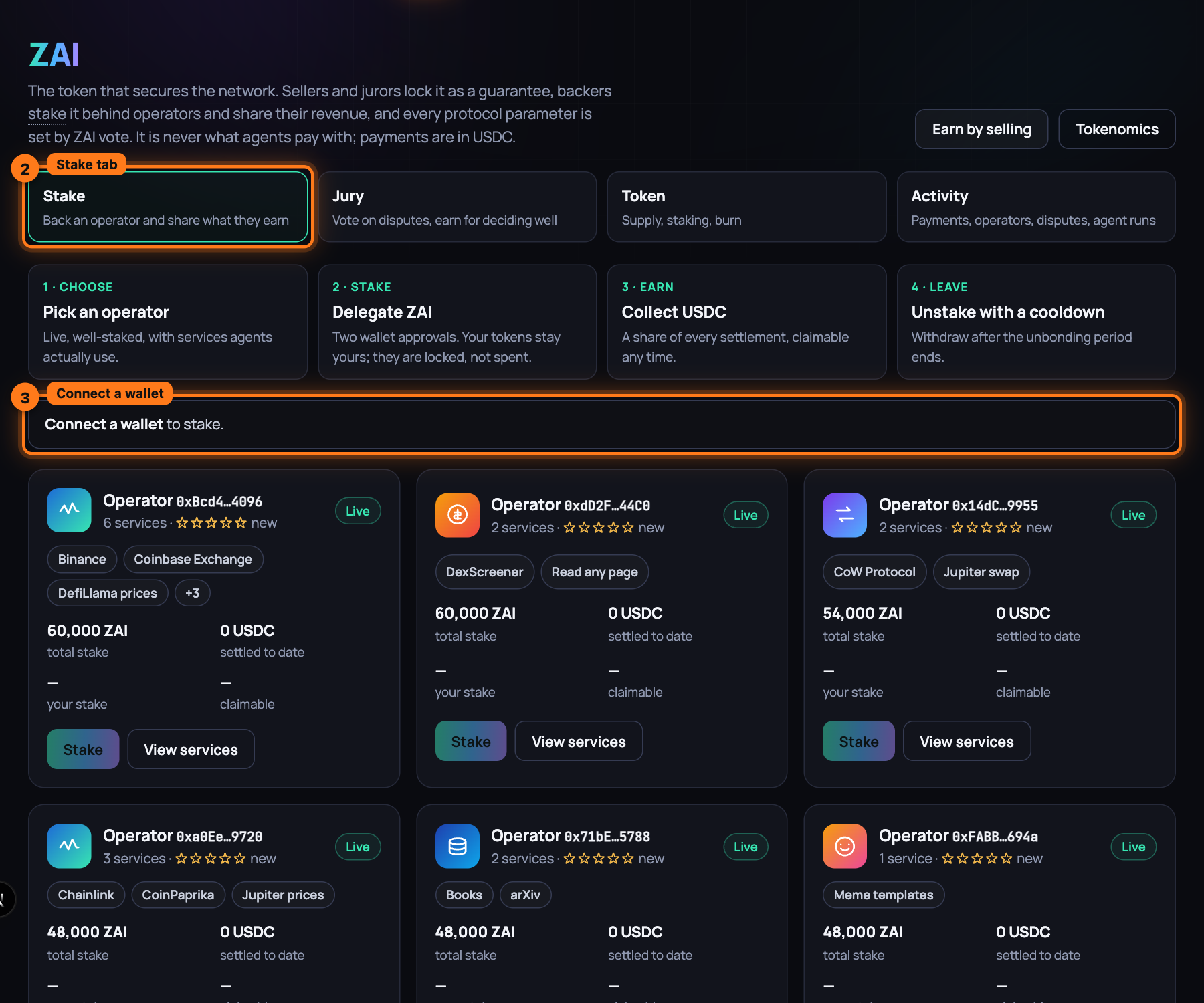
Open /zai. The page opens on its Stake tab; the other tabs are Jury, Token and Activity. Until a wallet is connected, a banner reads Connect a wallet to stake, and the button on every operator card is disabled.
-
Press Connect wallet at the top of the page, pick your wallet, and approve the connection in it. The wallet has to be on the same network as the app.
-
Read the four numbers that replace the banner: ZAI in your wallet, staked by you, USDC ready to claim and operators you back.
-
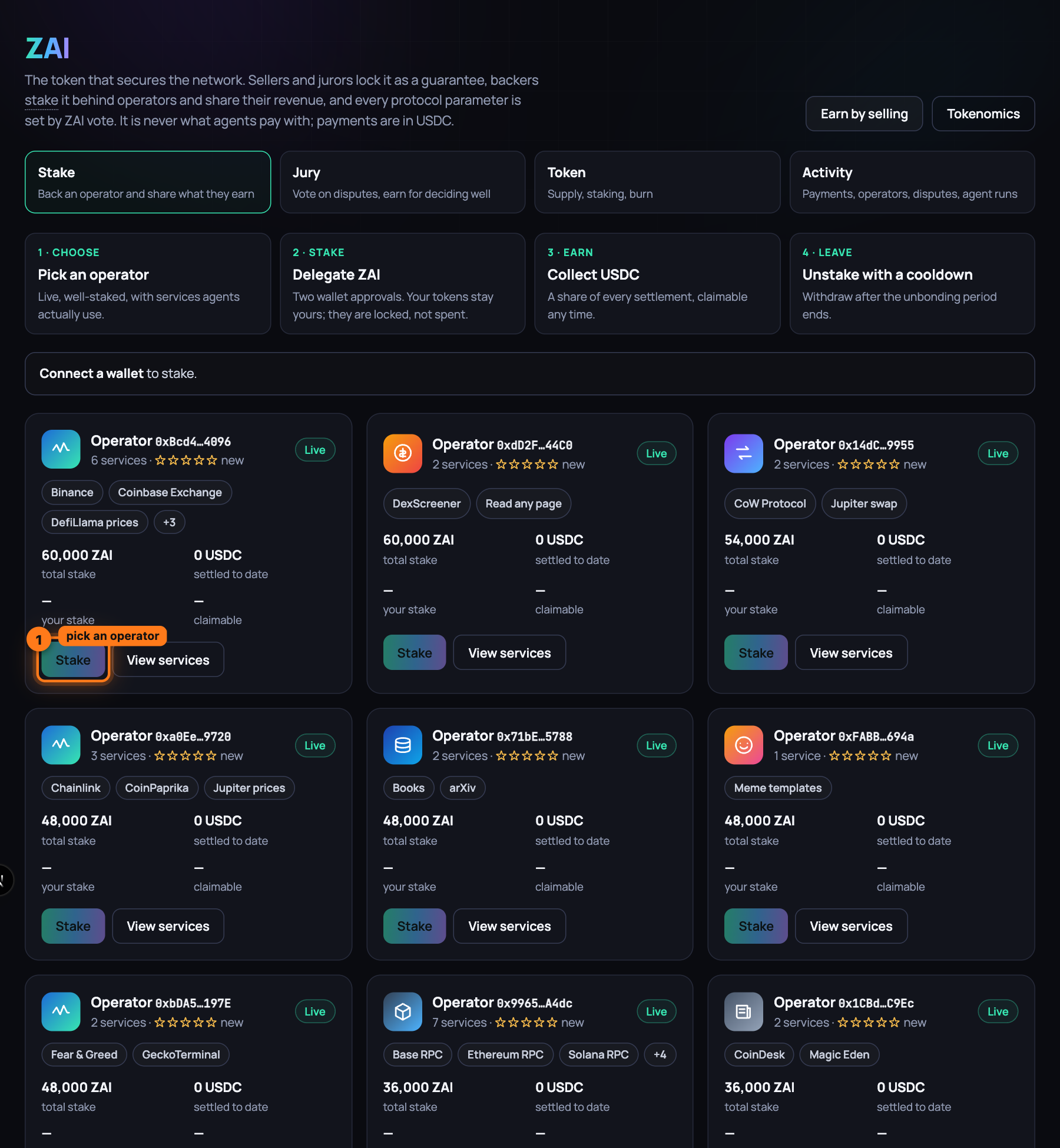
Choose an operator from the cards below. Each card names the Operator by a short address, shows how many services they list and their star rating, carries a Live or Offline badge, and gives their total stake, what they have settled to date, your stake and what is claimable for you. Pick one that is live, well staked, and whose services agents use; View services opens one of their listings first.
-
Press Stake on that operator's card. The Stake on panel opens for that operator, headed by the services they sell, with their total stake, your ZAI balance, your stake here and what is claimable now.
-
Type how much to stake in Amount (ZAI), or press Max to put in everything the wallet holds.
-
Press Stake … ZAI; the button carries the amount you typed. The panel says Confirm in your wallet… and the wallet asks twice: first to approve the staking contract to move that much ZAI, then to delegate it to the operator. Confirm both.
-
Wait for the panel to read Staked … ZAI on …. Rewards accrue from their next settlement. Close it with the cross. The card's button now reads Manage, and staked by you and operators you back at the top of the tab count your new position.
-
Come back whenever you like. USDC ready to claim at the top of the tab totals your earnings across every operator you back; each card's claimable shows that operator's part. Rewards accrue with every settlement their listings receive, so the number grows as agents buy from them.
-
To collect, press Manage on the card, then Claim USDC in the panel, and confirm once in the wallet. The panel reads Rewards claimed. and the USDC is in your wallet. Your ZAI stays staked and keeps earning.
-
To leave, press Manage, type the amount to take out in Amount (ZAI), press Unstake and confirm once. The panel reads Unstaking started. Withdraw after the cooldown. Any reward still pending is settled into your claimable balance at the same moment, so leaving forfeits nothing.
-
Wait out the cooldown. Its length is the staking contract's
unbondingPeriod, which the deploy sets to 7 days. On the local development network you move the chain forward instead of waiting:cast rpc evm_increaseTime 604800 --rpc-url http://127.0.0.1:8545 cast rpc evm_mine --rpc-url http://127.0.0.1:8545 -
Press the card's button again (Manage, or Stake if you took everything out), then Withdraw matured, and confirm once. The panel reads Withdrawn to your wallet. and the ZAI is back in your wallet.
What you have now
A position behind an operator you chose, held as shares of their delegated pool. It earns a share of every USDC settlement their listings receive, claimable whenever you like; it is worth what the card's your stake shows, the live value after any slash; and it is at risk only if that operator loses a dispute. Your ZAI comes back through an unstake and a cooldown whenever you leave.
Next: Sell a service, step by step — list something of yours and get paid per call.